Build This Website
Notes and lessons learned in deploying darknetian.com.

Outline
My goals in creating this website are as follows: create a landing space to document learning in a way that may benefit others, find opportunities to flex development & public cloud muscles, and increase writing proficiency... All while spending as little as possible. 😃
Details
This is a low-code solution. Most of my work to create blog posts are now markdown files in VSCode. My local code then is merged into GitHub, which uses a runner to publish changes into Azure as a static web application (aka SWA). I didn't want to self-host a website despite possessing the tech to do so, the risk isn't worth the reward. Same is true with mail servers. iCloud+ means they will handle the mailbox setup if you provide the domain. Price is right!
"Backend"
A SWA doesn't technically possess one, but you may be curious how it works. It uses Eleventy (JSON), Nunjucks (JavaScript), and everything else lives in markdown files. There would be no website without mentioning the dreaded HTML and CSS files as assets.
Domain Registration
Easier than anticipated. I'd previously heard a rumor that looking up a site name repeatedly on various websites may drive the price up. I created a free account on Cloudflare, and registered darknetian.com and .net for $20 a year.
Records
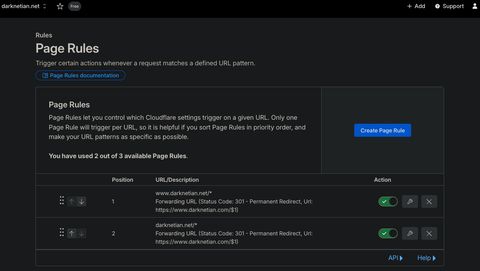
In Cloudflare I configured a policy for persistent redirects for all .net to CNAME to .com. All requests to darknetian.com then CNAME to www.darknetian.com which itself then CNAMEs to the true *azurestaticapps.net location.
Hosting
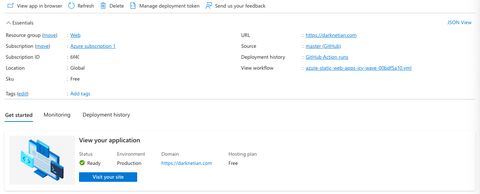
The Pay As You Go tier of Azure for SWAs includes certificate management. This deployment is a free subscription in Azure. I'm sure there's a way to incur cost, but as of right now I am unaware of one. Perhaps if I go viral.
Public Cloud
From there, everything is basically one-click integrations. Because of the way my website is structured, NPM will build all the files together and place them in _site once complete. Therefore my only required configuration included 'app location = /' and 'app artifact location = _site.'
Domain Verification
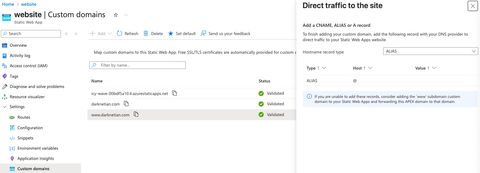
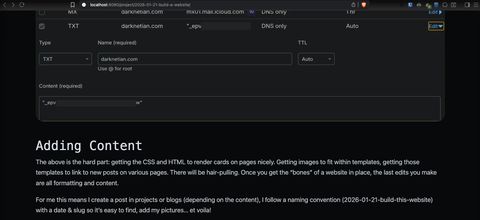
At this point, darknetian.com and my Azure Static Web App are not linked. In the app configuration you deploy a custom domain by adding the domain you own. Azure will then tell you to create a record type with a specific string to prove you own the domain.
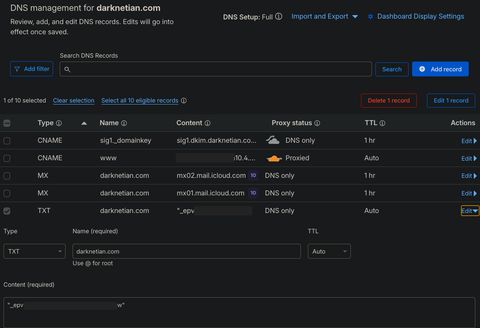
You then just create the domain as asked in your Cloudflare portal.
Adding Content
The above is the hard part: getting the CSS and HTML to render cards on pages nicely. Getting images to fit within templates, getting those templates to link to new posts on various pages. There will be hair-pulling. Once you get the "bones" of a website in place, the last edits you make are all formatting and content.
For me this means I create a post in projects or blogs (depending on the content), I follow a naming convention (2026-01-21-build-this-website) with a date & slug so it's easy to find, add my pictures... et voila!
Below you are able to see a screenshot of this website running locally prior to this sentence being written. Version control, baby!
Continuous Integration / Development (CI/CD)
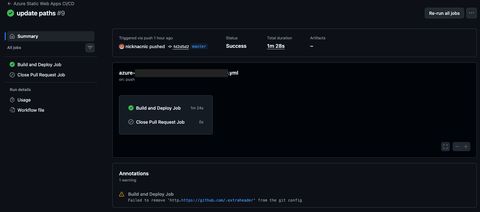
Once happy with additions/changes/formatting, all files are saved. Changes are committed, and when pushed the actions run. Once that completes successfully, the Azure host is updated and a new website version is published. This may include major rewrites of pages, but likely just the way to add posts over time.
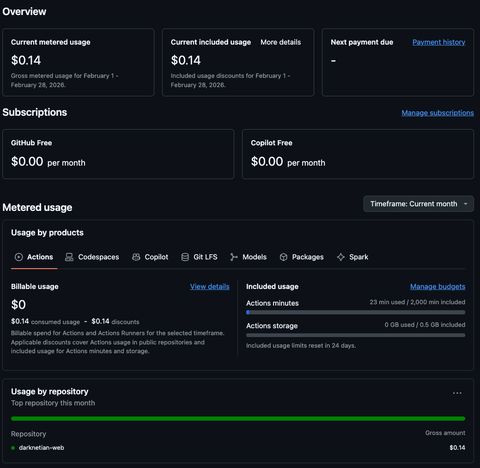
Just be sure to stay under the runtimes each month! 😁
Annex
Links
- Repo: private on GitHub but available upon request.
Spot a typo or want to suggest a change? Edit lands as a PR against the public mirror.