Building a Local Lab
Stepping up to solve problems for the field.
Note: at the time (SEP 2022) I named this SaD-LoL (SA Demos for Local Labs), which was terrible. The screeshot quality of the early project posts will be poor, as well, due to the age of the documentation. After this project you'll notice the names improve significantly. 😆
Overview
Back when Apple first announced their own silicon, the ARM-based architecture caused problems for field sellers. All of our enterprise products run on intel-based architectures, so previous local labs technical field sellers installed on their laptops to bring to customer sites for demonstrations were effectively useless once the laptops upgraded.
How might a new local lab be created for technical sellers to use? How can this lab be utilized in a way that doesn't require every technical seller to be a programmer?
3 Questions Framework
- What is it?
- A locally-hosted lab
- Why does it matter?
- Technical sellers need a sandbox to demonstrate and test new features
- How does it work?
- A collection of open and closed source software used in an automation suite to coordinate lab installation and content
Details
During employee onboarding I created an install script to use an open source QEMU-based emulator, UTM. The script is bash, which installs homebrew as a package manager, various packages (john, aircrack-ng, mtr, etc) and programs (caldera, CMU Ghosts, flightsim, etc). After the tools are installed, the script pulls down VMs I premade. Although our software is dependent on intel-based architecture, by passing certain flags in the emulator, the tools will boot and usually run. Also, our enterprise endpoint solution supported ARM at the time.
The solution needed is then simple: pre-build VMs with an endpoint agent, create an 'attacker' server, and pre-build working images of products to install with a suite of scripts and tools for one click, or one command, runs of demos for technical sellers.
Requirements
Google Drive
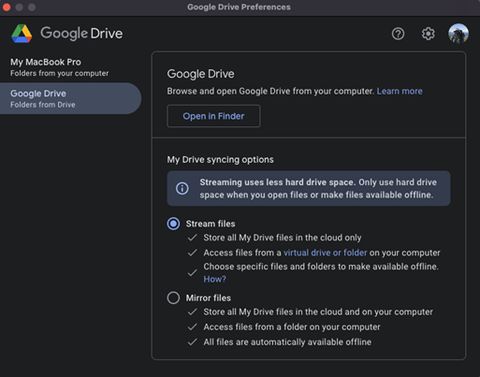
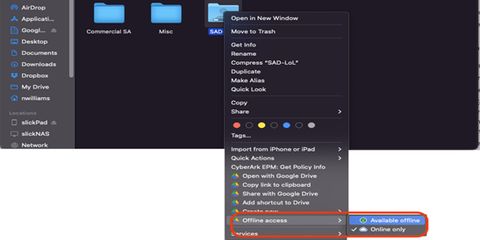
The VMs live in our enterprise's GDrive, so every SE needs to locally download the images for the script to run and 'find' each VM. This means two things: desktop app needs to be configured to stream, and then you need to manually ensure the lab VMs download to your machine.
Installation
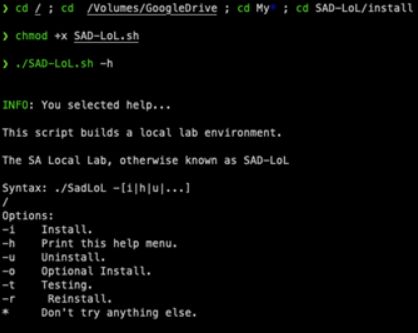
Once the scripts and VMs are locally copied to a machine, just a matter of making the install script executable and provide the desired flag. This allowed multiple file paths: stable, dev, old, src, etc for version control within GDrive for versioning of the lab and images with a clean -r to upgrade when available.
Images
At the time, Windows 11 for ARM-based architecture only existed as a preview build. UTM created interesting capabilities via their CLI to pull it down, along with MacOS 12.1 Monterrey, and Linux is of course quite easy!
The only challenge is at the time UTM didn't have CLI support for advanced network settings. Secondly, if users didn't modify the HostName of each VM, they would all show the same in our demo portal.
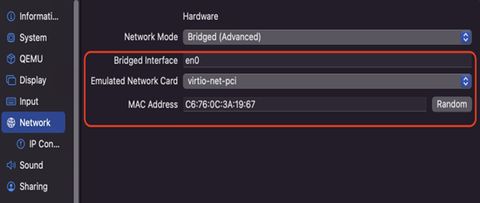
After validating the install completes, the images are then showing what packages are installed as well as the data about running them.
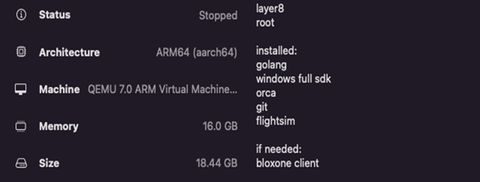
Demos
From here, this is where the fun begins. Because UTM supports an API, to create a compelling demo for the technical sellers all that's needed is an AppleScript (i.e. C2-demo.script) which launches the required VMs and then the files within those VMs or API calls to running software within them.
#!/usr/bin/env bash
set -euo pipefail

# --------- CONFIG ---------
VM_A="vm-one-name"
VM_B="vm-two-name"

# This is the VM that has the file on its Desktop you want to run
TARGET_VM="$VM_A"

# Path INSIDE the guest VM (Linux example)
GUEST_FILE="\$HOME/Desktop/runme.sh"

# Optional: run it with args (space-separated)
GUEST_ARGS="--foo bar"

# --------- SCRIPT ---------
osascript - "$VM_A" "$VM_B" "$TARGET_VM" "$GUEST_FILE" "$GUEST_ARGS" <<'APPLESCRIPT'
on run argv
set vmAName to item 1 of argv
set vmBName to item 2 of argv
set targetName to item 3 of argv
set guestFile to item 4 of argv
set guestArgs to item 5 of argv
tell application "UTM"
set vmA to virtual machine named vmAName
set vmB to virtual machine named vmBName
set targetVM to virtual machine named targetName
my ensureStarted(vmA)
my ensureStarted(vmB)
-- IMPORTANT: execute/open-file APIs require QEMU guest agent in the guest.
-- Run the file via a shell inside the guest (Linux). Adjust if your guest OS differs.
set cmd to "chmod +x " & guestFile & " >/dev/null 2>&1; " & guestFile & " " & guestArgs
-- Capture output (handy for debugging).
tell (execute of targetVM at "/bin/sh" with arguments {"-lc", cmd} with output capturing)
repeat
set res to get result
if exited of res then exit repeat
delay 0.2
end repeat
set outText to output text of res
end tell
end tell
return "OK. Output:\n" & outText
end run
on ensureStarted(vm)
tell application "UTM"
if status of vm is started then return
start vm
repeat
if status of vm is started then exit repeat
delay 0.3
end repeat
end tell
end ensureStartedAPPLESCRIPTFor example, calling flightsim to simulate C2 traffic from within the Apple VM. Sure, it's possible to invoke FlightSim natively on corporate-owned Apple devices, but this may generate SOC alerts which is less than ideal.
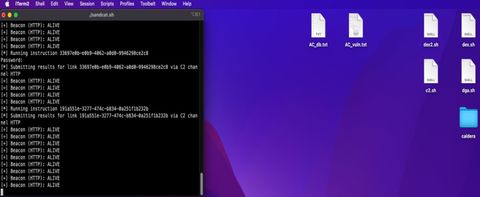
From there, malicious domains can be contacted using scripts to invoke any of the tools installed on the VMs. Since the pipeline of pre-built VMs is controlled, created unified demos is easier to sync to enterprise products.

With an attacker server, like caldera which supports an API, the types of attacks you are able to launch becomes much more complex. For example, a local mailserver with a malicious PDF spearphishing link which deploys credential harvesting (pretending to be a genuine Apple software update) which then exfiltrates through C2.
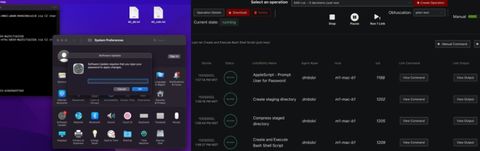
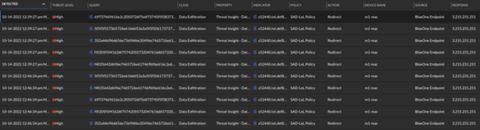
Eventually, this lab and subsequent VM versions were imported into the TME VCenter labs, and ongoing development occurred through IT and TME teams under enablement's direction.
Appendix
Links
- UTM-Auto: Public archive on GitHub.
Spot a typo or want to suggest a change? Edit lands as a PR against the public mirror.